Introduction
Cloud platforms now power most modern software systems, and Amazon Web Services leads this shift. Businesses rely on it to deploy applications faster, scale without limits, and control infrastructure costs. This tutorial explains how Amazon Web Services works, why it matters for DevOps, and how learners can build real job-ready skills through structured devops courses.
This guide supports learners preparing for a devops engineer course, professionals exploring an aws devops course, and teams adopting Devops with AWS Training in real projects.
What Is Amazon Web Services?
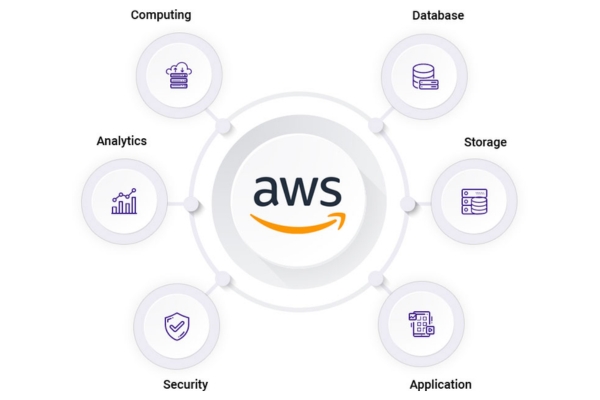
Amazon Web Services is a cloud computing platform that provides on-demand access to servers, storage, databases, networking, and DevOps tools. Instead of buying physical hardware, companies rent computing resources and pay only for what they use.
Key benefits of Amazon Web Services include:
- On-demand infrastructure without upfront cost
- Global data centers for low-latency delivery
- Built-in security and compliance
- Strong automation support for DevOps workflows
Why Amazon Web Services Matters for DevOps
DevOps focuses on speed, reliability, and collaboration. Amazon Web Services supports DevOps by offering services that automate infrastructure, testing, deployment, and monitoring.
Organizations use Amazon Web Services to:
- Deploy applications multiple times per day
- Scale systems automatically during traffic spikes
- Reduce downtime through monitoring and alerts
- Integrate security into CI/CD pipelines
Industry surveys show that over 85 percent of DevOps teams use Amazon Web Services as their primary cloud platform.
Core AWS Services Every DevOps Engineer Should Know
Compute Services
Amazon Web Services provides flexible compute options:
- EC2 for virtual servers
- Lambda for serverless execution
- ECS and EKS for container orchestration
These tools allow DevOps teams to run applications without managing physical machines.
Storage Services
Storage options in Amazon Web Services include:
- S3 for object storage
- EBS for block storage
- Glacier for long-term backups
S3 alone stores trillions of objects worldwide and integrates directly with CI/CD pipelines.
Networking Services
DevOps teams use Amazon Web Services networking tools such as:
- VPC for private cloud networks
- Elastic Load Balancers for traffic distribution
- Route 53 for DNS management
AWS DevOps Toolchain Explained
Infrastructure as Code
Amazon Web Services supports infrastructure automation using:
- CloudFormation templates
- Terraform integrations
Infrastructure as Code allows teams to version and reproduce environments reliably.
CI/CD Services
CI/CD workflows on Amazon Web Services commonly use:
- CodeCommit for source control
- CodeBuild for builds
- CodeDeploy for automated releases
- CodePipeline for orchestration
These services reduce manual deployment errors.
Monitoring and Logging in AWS
Monitoring ensures system reliability. Amazon Web Services provides:
- CloudWatch for metrics and logs
- X-Ray for application tracing
Teams use CloudWatch alarms to detect failures before users notice issues.
Security and Compliance in AWS DevOps
Security remains a core strength of Amazon Web Services. DevOps teams rely on:
- IAM for access control
- KMS for encryption
- Security Groups and NACLs for traffic control
Security automation helps teams meet compliance requirements while moving fast.
Real-World Example: E-Commerce Application on AWS
A retail company uses Amazon Web Services to deploy a scalable e-commerce platform:
- EC2 hosts the application
- RDS stores customer data
- S3 serves product images
- CloudFront delivers content globally
DevOps automation reduces deployment time from hours to minutes.
Step-by-Step: Deploying a Simple Application on AWS
Step 1: Create an EC2 Instance
Launch a Linux instance using Amazon Web Services EC2.
Step 2: Configure Security Groups
Allow HTTP and SSH access securely.
Step 3: Deploy Application Code
Upload and run the application.
Step 4: Monitor with CloudWatch
Track CPU and memory usage in real time.
This workflow reflects real tasks taught in an aws devops course.
AWS and Containers for DevOps
Containers simplify application delivery. AWS supports:
- ECS for managed containers
- EKS for Kubernetes-based deployments
DevOps teams use containers to ensure consistent environments from development to production.
AWS DevOps vs Azure DevOps Training
Many learners compare AWS with Azure DevOps. Both platforms support DevOps practices, but AWS offers:
- Larger service ecosystem
- Broader global infrastructure
- Strong market demand for skills
That is why devops and aws training remains a top career choice.
Career Roles After AWS DevOps Training
Professionals skilled in Amazon Web Services pursue roles such as:
- DevOps Engineer
- Cloud Engineer
- Site Reliability Engineer
- Platform Engineer
Recruiters frequently list devops course experience as a hiring requirement.
Industry Demand and Salary Trends
Reports show that cloud DevOps roles involving Amazon Web Services pay higher than traditional IT roles. DevOps engineers often earn 20 to 30 percent more due to cloud automation expertise.
Companies continue to migrate workloads to AWS, increasing demand for trained professionals.
Common Challenges Beginners Face with AWS
New learners often struggle with:
- Understanding service relationships
- Managing costs
- Designing secure architectures
Structured devops courses help learners overcome these issues with guided labs.
How DevOps Courses Teach AWS Effectively
A good devops engineer course includes:
- Hands-on labs on Amazon Web Services
- Real deployment projects
- CI/CD pipeline practice
- Monitoring and security exercises
This approach ensures learners gain practical experience.
Best Practices for Learning AWS DevOps
To master AWS, learners should:
- Practice daily on real environments
- Use Infrastructure as Code tools
- Monitor systems continuously
- Automate deployments
Consistency builds confidence and job readiness.
Long-Term Value of AWS DevOps Skills
Skills in AWS remain relevant due to:
- Continuous platform innovation
- Strong enterprise adoption
- Integration with AI and data services
DevOps professionals benefit from long-term career stability.
Key Takeaways
- Amazon Web Services powers modern DevOps workflows
- AWS supports automation, scalability, and security
- DevOps engineers rely on AWS for real-world deployments
- Structured training accelerates learning and career growth
Conclusion and Call to Action
Build real cloud and DevOps skills with hands-on projects and expert guidance.
Enroll in H2KInfosys training programs today to master AWS DevOps and advance your career.